What is Group Management?
Group Management is a way to organise your assets. Organising your assets into groups helps you stay organised and to simplify reporting. You can group assets by for example location, asset type or production line. Via Group Management you can:
- Create new groups
- Edit group names
- Move assets between different groups
Do note: an asset can only be part of 1 group.
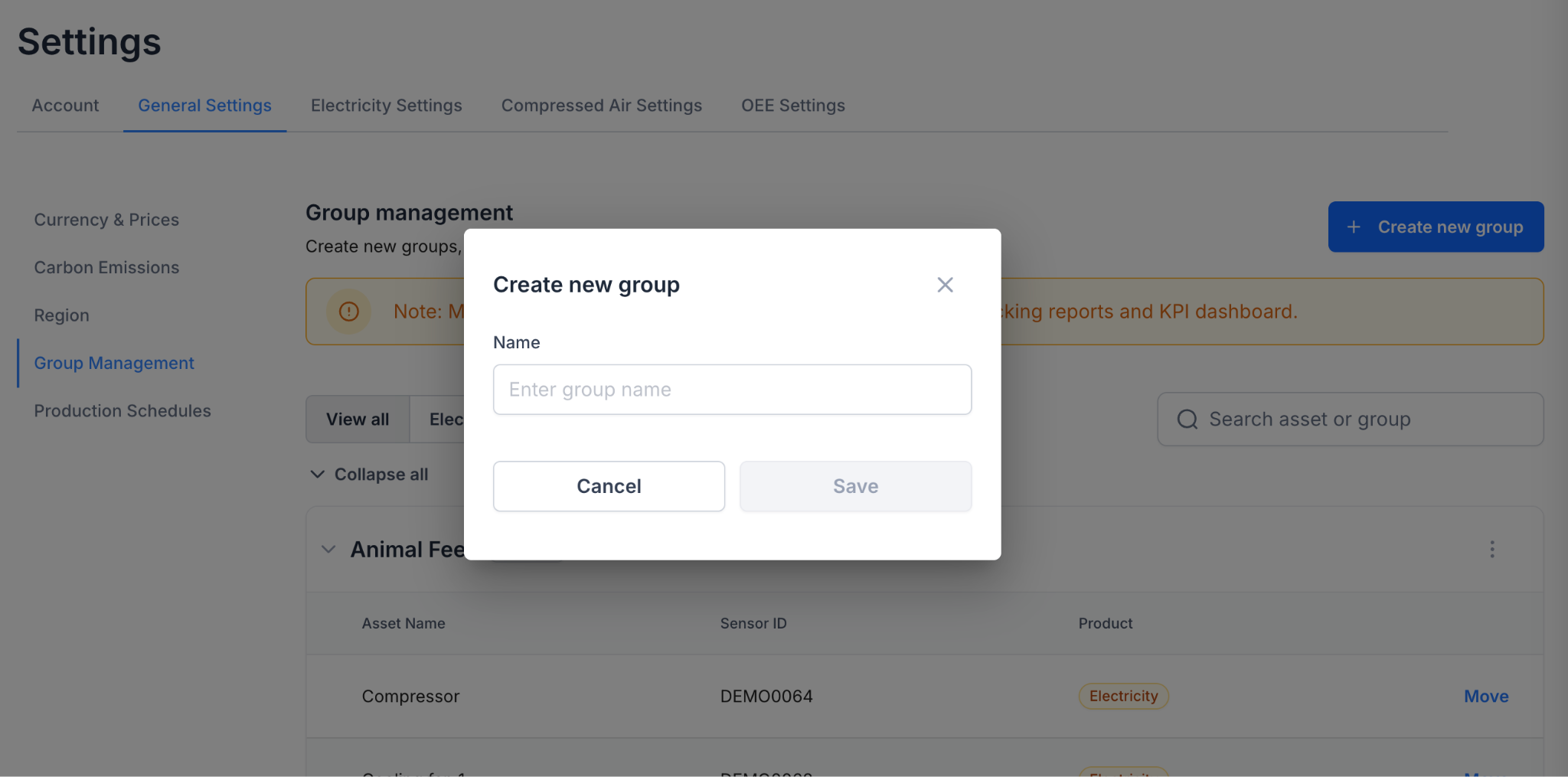
How to create a new Group
- Navigate to the Group Management page within Settings
- Click on the “Create new group” button
- Enter the name of the group and hit save
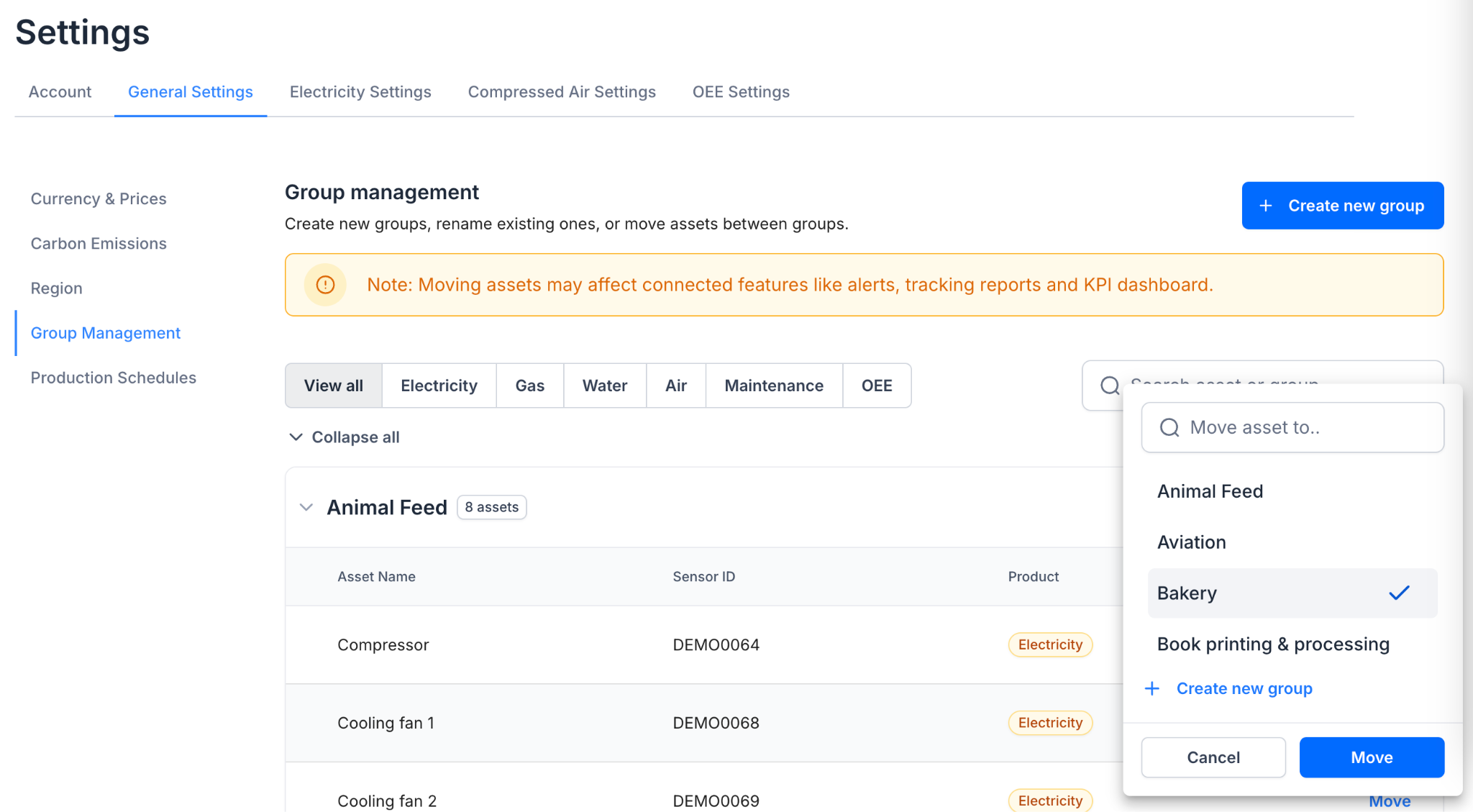
Move assets between groups
- Navigate to the Group Management page within Settings
- Locate the asset you want to relocate
- Click on the “Move” button associated with that asset
- A menu will appear; browse or search to find the correct group
- Select the group and click on “Move” to confirm
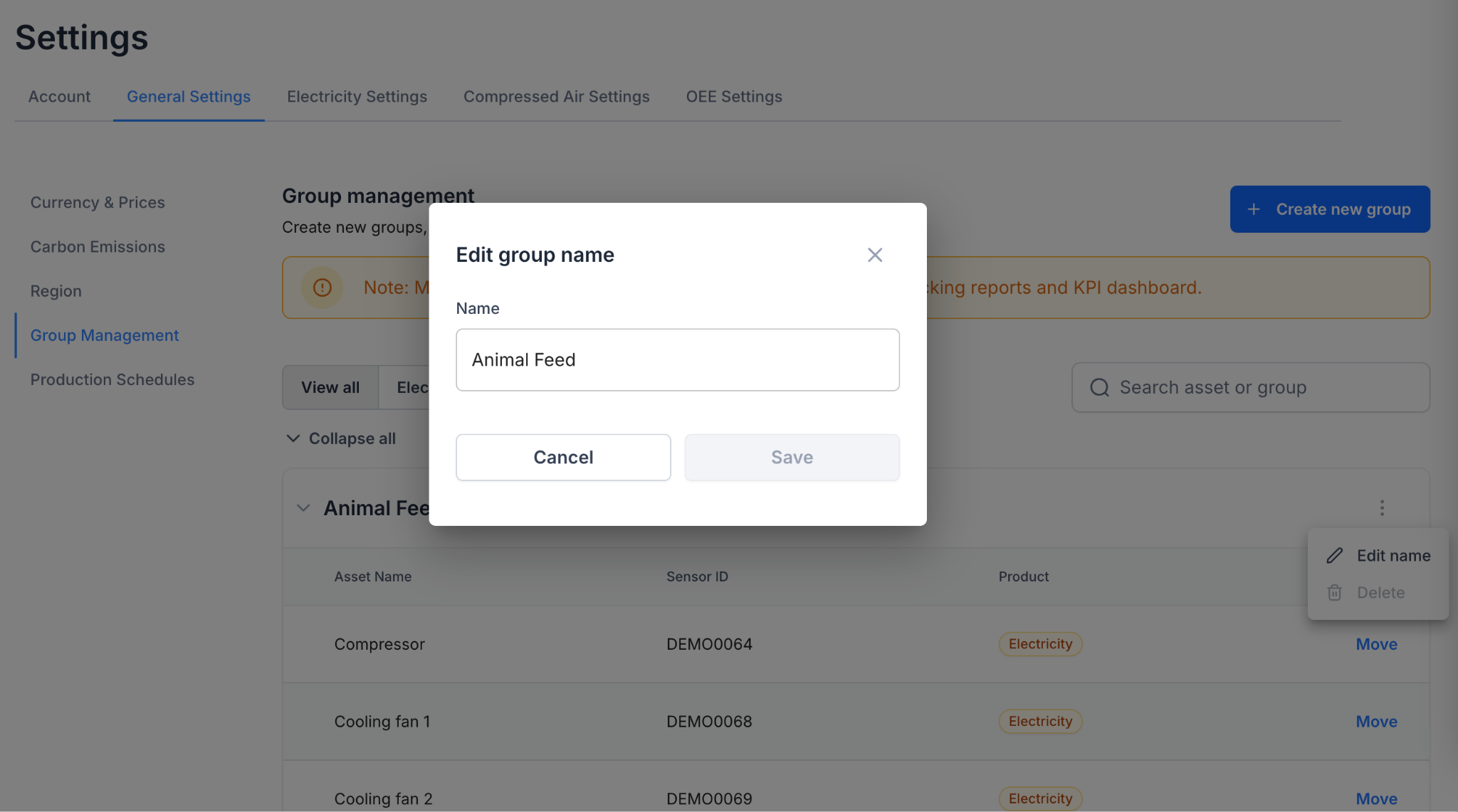
Rename a group
- Navigate to the Group Management page within Settings
- Locate the group you want to edit
- Select the “Edit name” option in the three-dot ⋮ menu
- Type in the new name and hit “Save”