
How asset type suggestions work
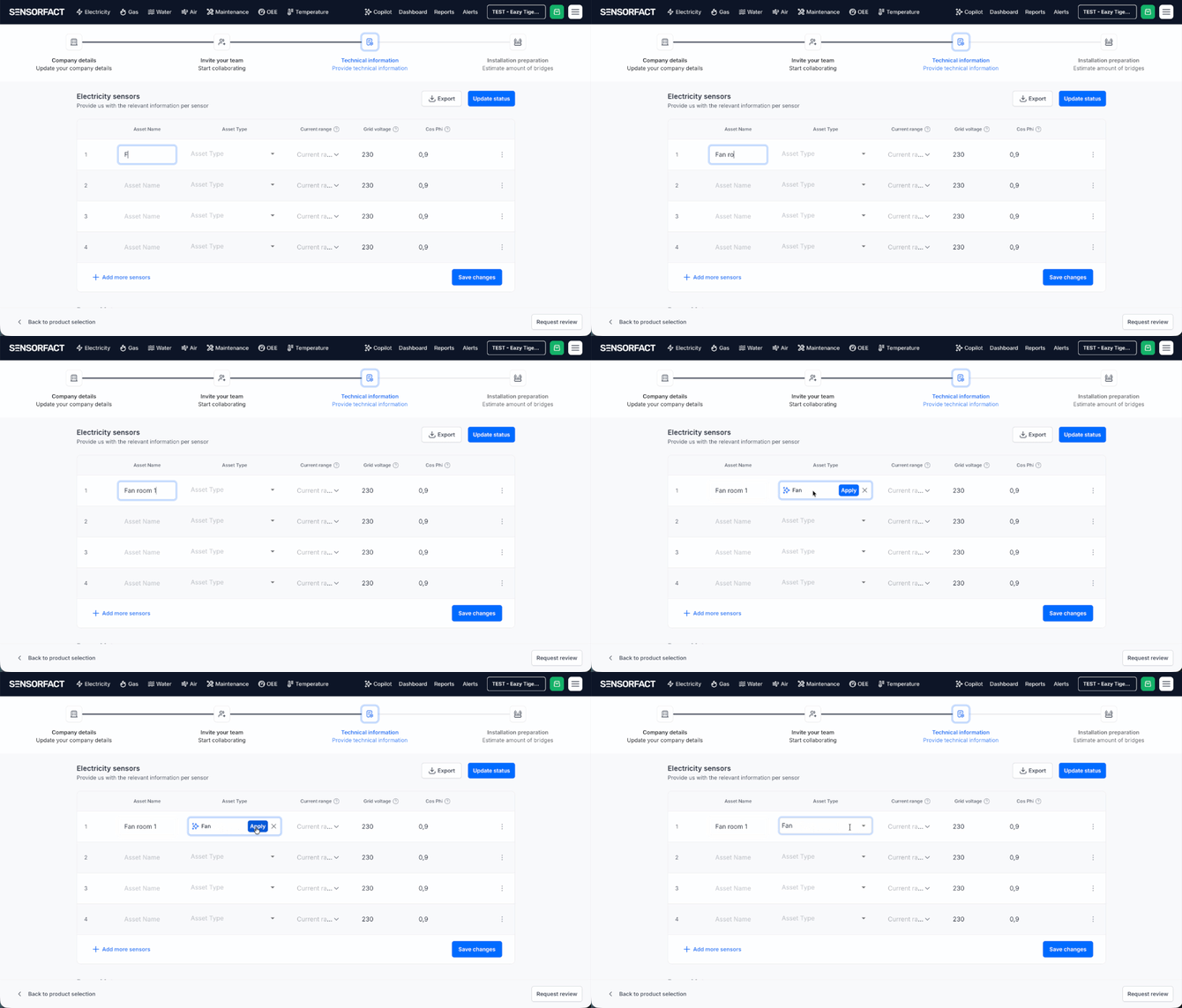
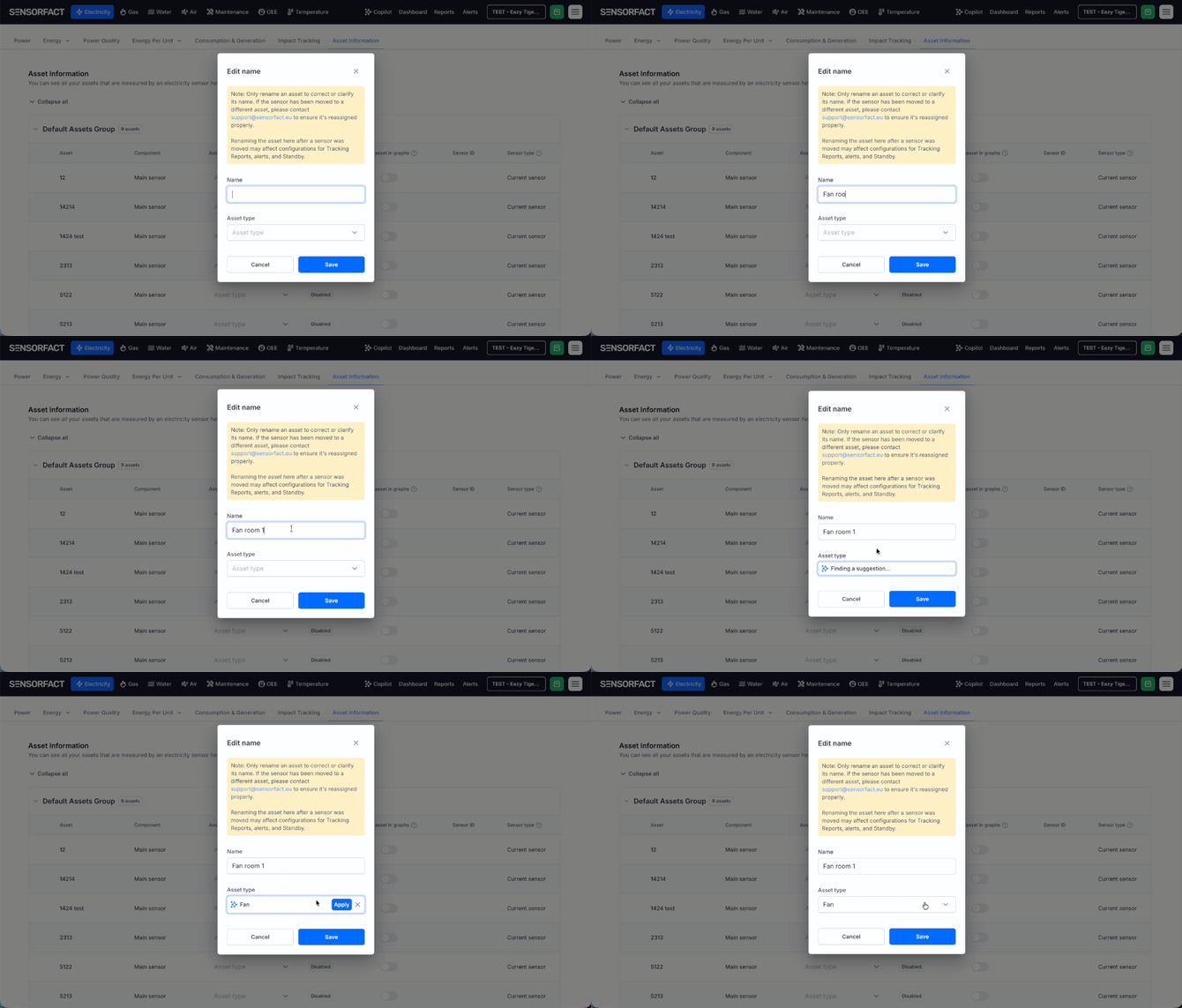
When you type or change an asset name, Sensorfact looks at the name and proposes the asset type that best matches it. An asset called "Compressor hall 2" will be recognised as a compressor. The suggestion appears next to the asset type field with an Apply button.
A few things to know about the suggestion:
- You get one suggestion at a time, the single best match rather than a list of candidates.
- The suggestion is a proposal, never automatic. Nothing changes until you apply it.
- The full asset type dropdown always stays available, so you can pick a different type whenever the suggestion is not what you meant.
- Applying a type takes effect immediately.
Step-by-Step Instructions
Setting The Asset Type During Onboarding
- In the onboarding flow, enter the Asset name for the asset you are configuring.
- A suggested asset type appears below the name field as soon as the name is recognised.
- Click Apply to accept the suggestion.
- If the suggestion is not right, open the Asset type dropdown and select the correct type instead.
- Continue with the rest of the onboarding steps as usual.
Changing The Asset Type Of An Existing Asset
There are four places to do this:
- Power hierarchy settings
- Group management page
- Asset information page
- Status page
They behave the same way, so use whichever is more suitable for your situation.
Troubleshooting
No suggestion appears
- Check that the Name field is filled. The suggestion is triggered by the name, so an empty field gives nothing to work with.
- Very specific internal codes, for example "L4-A17-03", contain no recognisable machine name. Use the dropdown in these cases, or rename the asset to something descriptive first.
The suggestion is wrong
Choose the correct type from the dropdown. Your choice always overrides the suggestion. If you notice the same kind of name being misread repeatedly, let your Sensorfact contact know, since that helps us improve the suggestions.
I cannot edit the asset type
If the field is not editable for you, check with your Sensorfact contact whether your user has the required permissions.