
- General - Various improvements:
- The asset tree can now be resized to your preferred width by dragging the edge of the panel. This makes it easier to see full asset names if they are long.
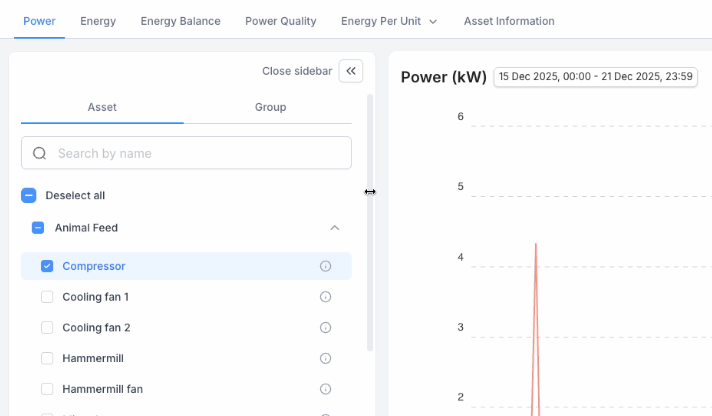
- The asset tree can now be resized to your preferred width by dragging the edge of the panel. This makes it easier to see full asset names if they are long.
-
- The graph legend now orders on alphabetical order
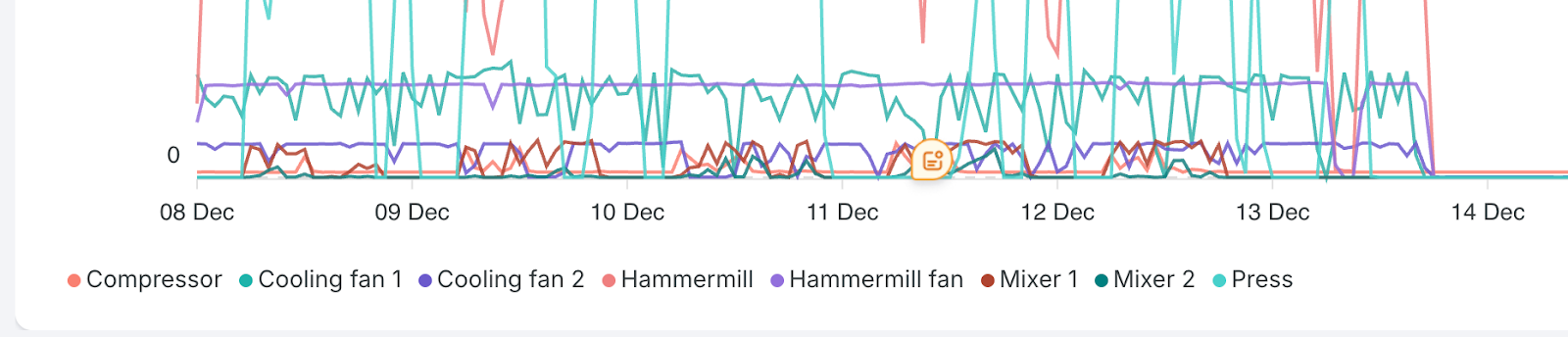
- The graph legend now orders on alphabetical order
- EMS - Various improvements:
- Energy Balance: The donut chart is replaced with a vertical bar chart as this visualisation is better in communicating quantities. The percentages are showing in the tooltip, and are as well visible in the table below the chart.
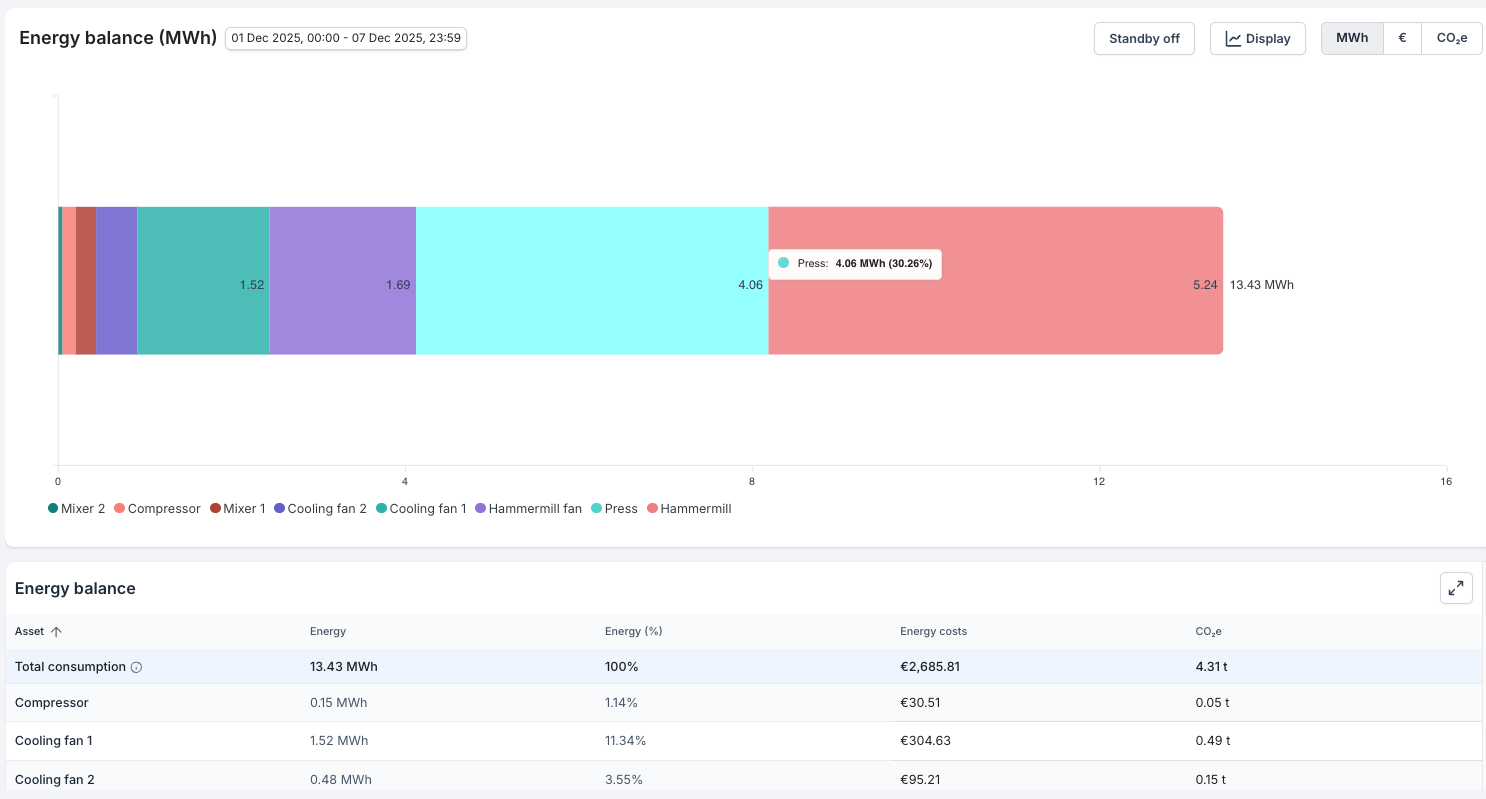
- Readability of longer asset names on the Energy Balance tab has been improved (as well in the png export).
- Energy Balance: The donut chart is replaced with a vertical bar chart as this visualisation is better in communicating quantities. The percentages are showing in the tooltip, and are as well visible in the table below the chart.
- EMS - Better handling of negative energy: Bi-directional meters can register negative energy, for example when solar panels are generating energy. The Energy Balance tab can now support negative energy values. And in the table, new rows ‘Total generation’ and ‘Net total’ are added.
- Bar char behaviour changes:
- The consumption side (positive energy, right side of the bar) always sums to 100%
- The generation side (negative energy, left side of the bar) is shown as a negative percentage of total consumption.
- Table additions:
- Net total: difference between consumption (positive energy) and generation (negative energy)
- Total generated: This is the sum of all negative values. Note: energy price and CO2 values are not supported for generated energy (and hence left empty)
- Bar char behaviour changes:
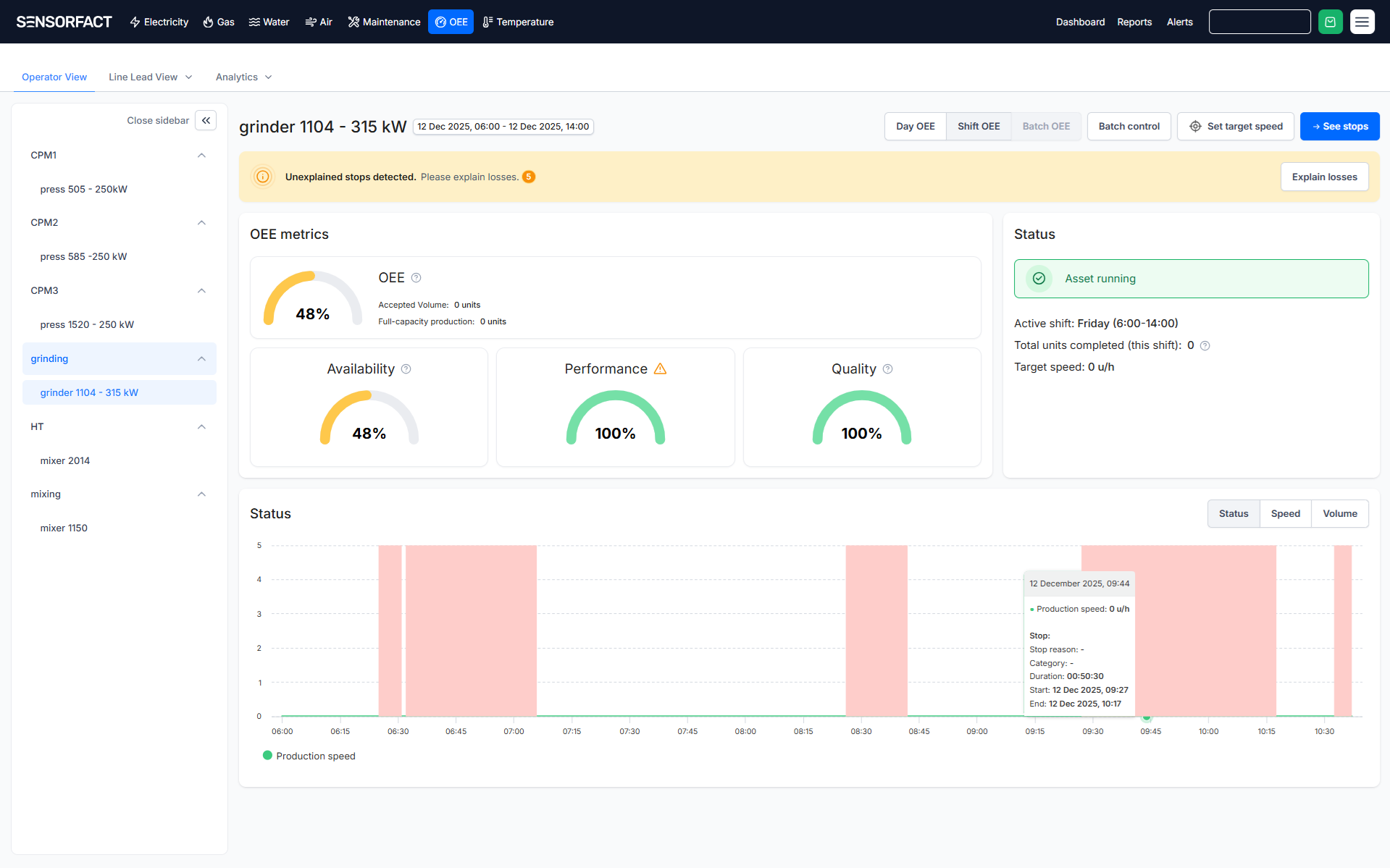
- OEE - Visualized Stops in Operator View: Stops are now visualized directly on the OEE Operator View production speed graph. When a stop occurs, you can see the exact time it happened and easily click on the highlighted area to enter a stop reason.
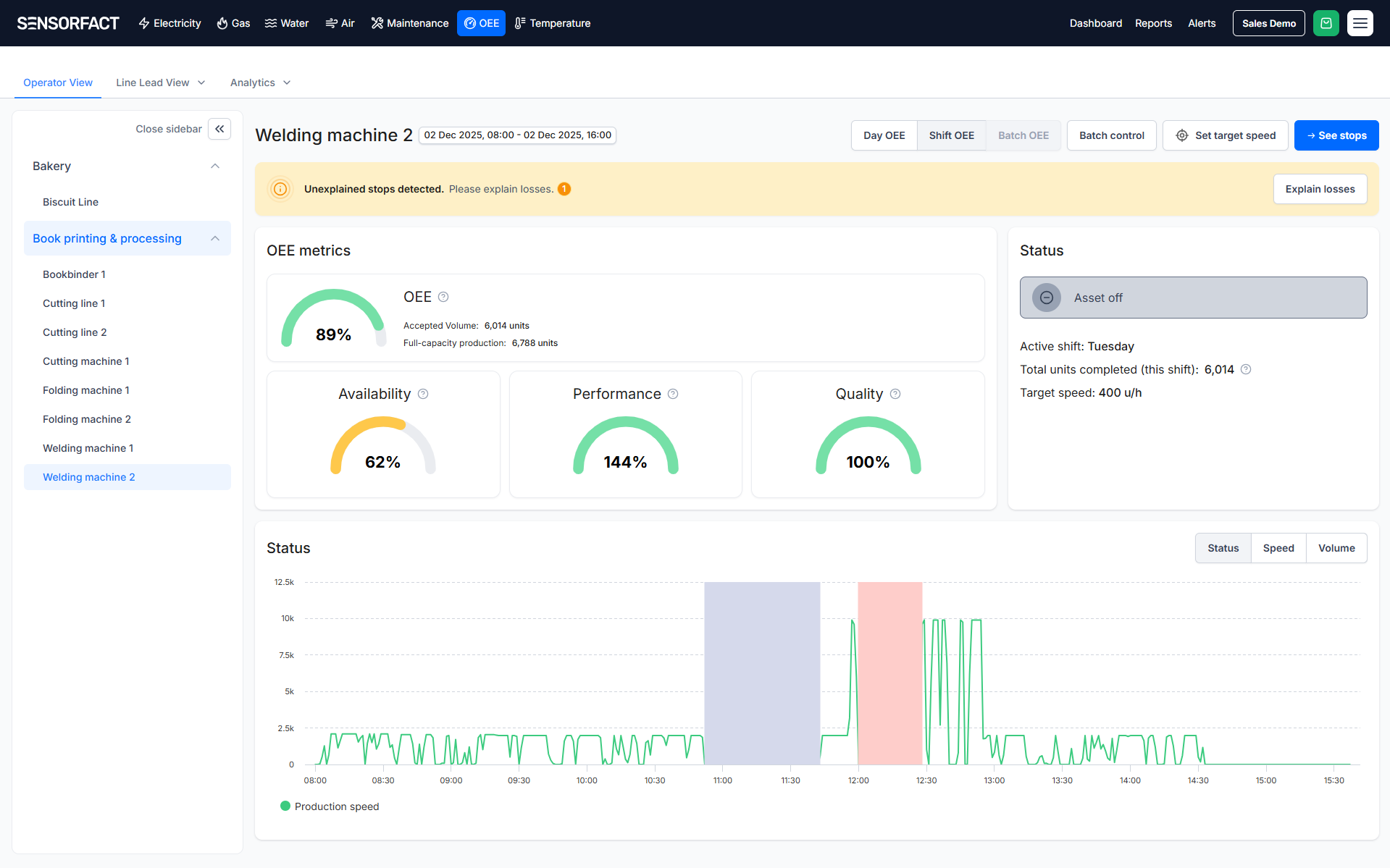
- OEE - Energy based OEE: We’ve introduced a new way to track machine Availability by using energy consumption as a production signal. By detecting when a machine is active based on power thresholds, we can now unlock OEE insights for complex machines where traditional pulse counters weren't an option, all visible within your existing OEE dashboards.
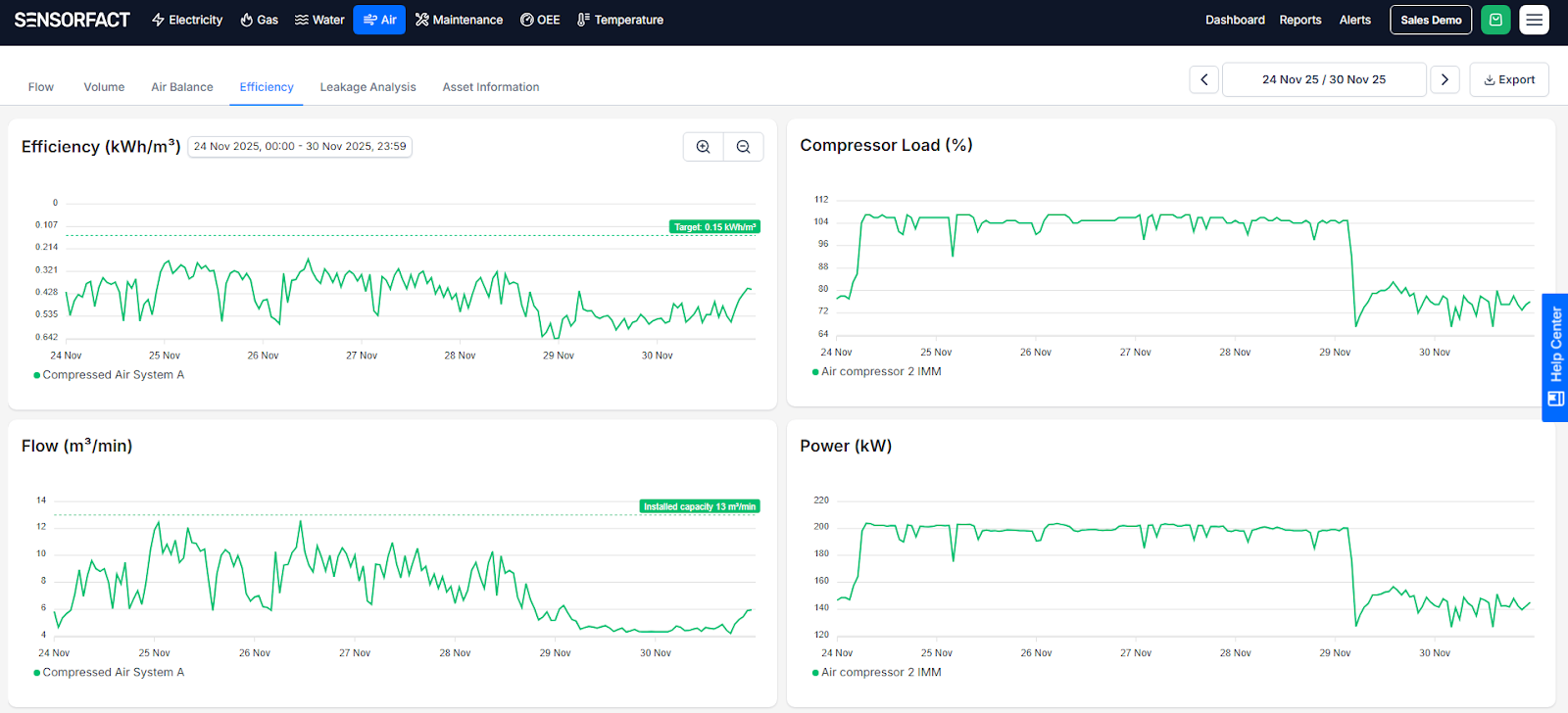
- CA - Efficiency Targets and Installed Capacity: Assess system efficiency against a target and to compare flow usage against installed capacity. It offers continuous comparisons to simplify efficiency and dimensioning analysis. The default efficiency target is set at 0.15 kWh/m³, adjustable in the compressed air settings, where users can also configure installed capacity per compressor for accurate flow usage comparisons.
- Temperature - Comparing multiple assets: It’s now possible to select multiple assets in the Temperature & Humidity graph.